deadkeys
deadkeys is a free Mac app that locks your keyboard so you can clean it. Every key stops working, function and media keys included. Your mouse and trackpad still work, so unlock is always one click away.
01 / what it doesmacos utility
How do you clean a Mac keyboard without typing?
Lock it first. Wipe a keyboard while your Mac is on and every press becomes a typo, a shortcut or an app opening. While deadkeys is locked, every keypress is thrown away, from letters and modifiers to the function row and media keys. Nothing you press is typed, triggered or recorded. Unlock and the keyboard works exactly as before.
It's also handy for wiping the screen, keeping a cat or a toddler off the keys, or protecting a long render or install from a stray press.
How the lock works
deadkeys uses the macOS Accessibility permission to block keyboard input while the lock is on. It never touches the mouse or trackpad, so the unlock button is always within reach. If macOS interrupts the lock, deadkeys turns it back on; if it can't, it unlocks rather than leave you stuck.
02 / how it worksthree steps
How to lock your keyboard with deadkeys
-
01
Open it and allow access
Open deadkeys and allow Accessibility, which macOS requires before an app can block the keyboard. deadkeys then sits in your menu bar.
-
02
Click lock
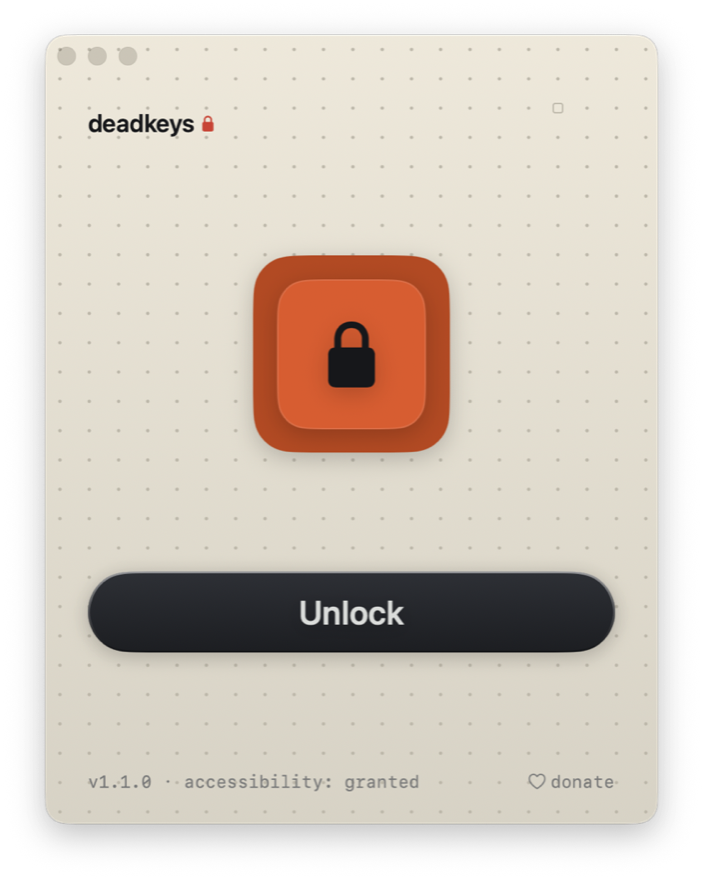
Every key stops working. The window and menu bar icon change to show it's locked.
-
03
Click unlock
Click unlock, or quit the app, and the keyboard works again straight away.
03 / featuresdetails
Features
- Full keyboard lockEvery key stops working, including the function row and the media and brightness keys.
- Pointer always freeThe mouse and trackpad are never blocked, so unlock is always reachable.
- Never leaves you stuckIf the app quits, crashes or stops responding, the keyboard unlocks.
- Blocks keys, never reads themEach keypress is thrown away as it happens. Nothing is logged, stored or sent.
- Menu bar controlLock and unlock from the menu bar. The icon shows when you're locked.
- No accounts or analyticsThe only network request is an occasional update check.
04 / faq5 questions
deadkeys questions
Is deadkeys free?
Yes. deadkeys is completely free, with no account, no in-app purchases and no ads. If you'd like to say thanks, you can leave a tip on Ko-fi.
Is deadkeys a keylogger?
No. deadkeys blocks keys without reading them. Each keypress is thrown away as it happens and is never logged, stored or sent. The block only exists while the lock is on.
Can I get locked out of my Mac?
No. The mouse and trackpad always work, so the unlock button is always reachable, and quitting the app unlocks the keyboard. If the app crashes or stops responding, the keyboard unlocks.
Why isn't deadkeys on the Mac App Store?
A sandboxed App Store app can't fully suppress the function and media keys. deadkeys ships as a direct download instead, signed with a Developer ID and notarised by Apple, so macOS opens it without warnings.
Which Macs does deadkeys run on?
We support the latest version of macOS, on Apple silicon and Intel Macs.
05 / tipsko-fi
Find it useful? Leave a tip.
deadkeys is free, with every feature included. Tips on Ko-fi help pay for updates.